

A Buying Guide to Canon Large Format Printers and Commercial Printers
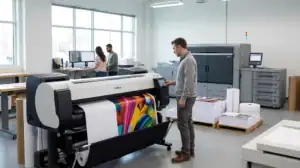
Selecting the right printing technology is a critical decision for businesses looking to enhance their workflow, scale production, and deliver outstanding print quality to clients. Whether you run an architectural firm requiring precise technical drawings, a graphic design studio producing vibrant marketing materials, or a commercial printing business delivering high-volume orders, choosing the correct equipment directly impacts your productivity and bottom line.
Canon has established itself as a reliable leader in the imaging industry, offering advanced machinery tailored to diverse business needs. This guide walks you through the essential aspects of choosing large format printers and production-level print solutions for your organization.Understanding Your Print Requirements
Before evaluating specific models, it is essential to conduct an internal assessment of your printing demands. Consider the primary types of media you print on, your typical print dimensions, expected daily output volume, and the level of color accuracy required.
Businesses generally fall into two broad printing categories:1. Wide-format applications: Fine art, architectural blueprints, trade show graphics, outdoor banners, and posters.
2. Production and commercial applications: High-speed document creation, booklets, direct mailers, brochures, and transactional printing.Identifying where your primary workload lies will help narrow down the machinery needed to support your daily operations effectively.The Role of Large Format Printers in Modern Business
When standard paper sizes are no longer sufficient, wide-format technology becomes indispensable. Canon wide-format devices are engineered to handle continuous roll feeds, specialty media, and larger paper widths with extreme precision.Key Considerations for Wide-Format Printing * Color Precision and Ink Formulation: Look for systems featuring multi-ink setups that utilize pigment-based inks. High-density ink configurations ensure vibrant colors, smooth gradients, and exceptional archival quality for photographic prints and graphics.
* Fine Line Accuracy: For engineering and CAD applications, line accuracy and clear text reproduction are paramount. Specialist printing systems offer precise ink placement so complex blueprints remain crisp and easy to read.
* Media Versatility: Evaluate the range of materials the machine supports. Quality systems allow seamless printing across vinyl, canvas, matte paper, glossy stock, and adhesive films.
* Speed vs. Detail Modes: Choose equipment that allows you to easily balance quick draft modes for internal reviews with high-resolution settings for final client deliverables.Expanding Capabilities with Commercial Printers
For operations handling high turnover, tight deadlines, and heavy document volumes, investing in robust commercial printers provides the speed and reliability necessary to maintain continuous output. Production printers are built to operate consistently under demanding conditions without compromising on finish or image quality.Factors to Evaluate in Commercial Equipment * Duty Cycle and Durability: High-volume printing demands machinery capable of running continuously. Check the recommended monthly print volume to ensure the device handles peak production periods without excessive wear.
* In-line Finishing Options: Modern commercial setups often include modular finishing extensions. Features like automated folding, saddle-stitching, hole punching, and trimming save significant manual labor and speed up overall turnaround times.
* Workflow Integration: Software compatibility plays a massive role in streamlined operations. Canon devices integrate with print management platforms that automate job submission, queue management, and color calibration.
* Total Cost of Ownership: Look beyond the initial hardware purchase price. Factor in energy efficiency, maintenance agreements, media compatibility, and yield per ink cartridge or toner unit to understand long-term operating costs.Key Features to Look for Across All Models
When comparing different equipment options, several underlying features ensure seamless daily management:1. User-Friendly Interface
Intuitive touchscreens, straightforward media loading mechanisms, and automated calibration routines reduce training time for employees and minimize costly operator errors.2. Network and Security Protocols
With print devices functioning as active endpoints on modern corporate networks, robust data protection features are non-negotiable. Look for encrypted storage, user authentication, and secure network protocols to protect sensitive documents.3. Energy Efficiency and Sustainability
Energy-conscious designs help reduce office utility bills and align with organizational sustainability goals. Features such as quick warm-up times and eco-friendly sleep modes contribute significantly over time.Making the Final Investment Decision
Upgrading your organization’s print setup is an investment in your operational efficiency and professional image. By clearly defining your volume needs, media requirements, and finishing preferences, you can confidently select the machinery that best serves your business objectives.
Working with an authorized dealer allows you to test media samples, review live print speed demonstrations, and discuss tailored service agreements. Investing in dependable Canon equipment ensures your business stays competitive, efficient, and equipped to deliver exceptional quality on every job.
