

Streamlining Your Life: The Benefits of Digitizing Everyday Documents
Key Takeaways
- Digital documents reduce clutter and simplify organizational systems at home or work.
- Electronic storage of documents enhances both security and accessibility.
- Sharing and collaborating on digital files is much faster than with physical documents.
- Digitization saves time and reduces the costs associated with paper document management.
Keeping up with the constant influx of paperwork can feel overwhelming in today’s fast-paced environment. Whether dealing with bills, receipts, or official paperwork, physical documents often cause clutter and make organization challenging. Turning to digital solutions, such as reliable receipt management software, can be a game-changer for those wanting to simplify their daily routines and eliminate unnecessary stress.
Moving your paper-based records into digital formats is not only about going paperless but also about embracing a system that is organized, efficient, and more secure. By digitizing your documents, you’ll gain better control over your information, improve access, and significantly reduce the time you spend searching for important files.
Declutter and Organize Efficiently
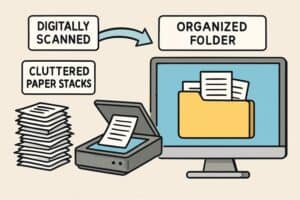
Eliminating paper products from your daily routine can make a tremendous difference in your home or office. Physical papers take up significant space and are easy to lose or misfile, making them difficult to retrieve when needed. With scanned documents neatly organized into digital folders, finding what you need is as easy as searching. You can establish a logical folder structure on your device or in your cloud drive, arrange receipts by date or category, and use file-naming conventions that allow you to locate materials quickly, all while clearing desks and drawers of excess paper.
Enhanced Security and Accessibility
Physical documents are always at risk of being lost, damaged by water or fire, or falling into the wrong hands. Converting sensitive paperwork to digital files gives you the option to store them with advanced encryption and use secure (password-protected) services to prevent unauthorized access. Additionally, well-known cloud storage platforms enable you to retrieve documents from any location and device, ensuring your records are always available when you need them. This is especially crucial for critical files such as ID cards, insurance documents, and health records.
Facilitate Easy Sharing and Collaboration
Collaborating on projects or sharing necessary paperwork is far simpler in a digital environment. Instead of mailing, faxing, or making copies, digital files can be sent instantaneously through secure email or cloud-based sharing platforms. This streamlines both personal and professional collaborations, making it easy to involve others in shared tasks or provide quick access to forms and agreements.
Time and Cost Savings
Relying on physical documents incurs a variety of ongoing costs, including purchasing paper and ink, as well as storage supplies and postage. Digital solutions eliminate most of these expenses, helping individuals and businesses alike save money. More importantly, the efficiency gained by avoiding the need to rifle through stacks of paperwork yields significant time savings. With a comprehensive digital system, you can access any document in seconds and reinvest the time you save into high-value activities.
Implementing Digital Documentation: A Step-by-Step Guide
- Assess Your Documents: Review what you have and identify which documents are necessary to keep in digital form. This typically includes bank statements, legal agreements, medical information, and important receipts.
- Choose the Right Tools: Use a dedicated scanner or a mobile scanning app to convert your physical documents into PDF or image files. Many modern apps can automatically enhance image clarity and even extract text using optical character recognition (OCR).
- Organize Your Digital Files: Create an intuitive folder and file-naming structure. For instance, you might organize by year and document type, or by household member or account.
- Secure Your Data: Always back up your files in at least two separate locations, such as an encrypted external hard drive and a reputable cloud storage service, to ensure that your records are safe if one location fails.
- Maintain and Update: Regularly review your digital records, adding new documents and safely deleting outdated files. Staying current keeps your system efficient and secure.
Overcoming Common Challenges
Digitizing your personal or professional documents may seem daunting at first, especially if technology isn’t your strength. Security concerns and the effort required to convert a backlog of paperwork are also common obstacles. Start with the basics, a simple scanning app and cloud storage account, and learn as you go. For those worried about privacy, research and use services with robust security certifications, such as those outlined by the Associated Press data privacy guide.
- Data Security: Protect your digital information with strong device and cloud storage passwords, enable two-factor authentication, and do not share access with anyone who does not need it.
- Technological Proficiency: Select tools with simple interfaces and tutorials. Many people find that starting with smartphone scanning apps eases the transition to full digital management.
- Time Management: Instead of aiming to digitize everything at once, schedule a few minutes each week to work through your paperwork stack. This gradual approach makes the task more manageable.
Conclusion
Embracing the digital documentation process can bring order and simplicity to your life. You will declutter your space, protect sensitive information, improve your sharing options, and regain valuable time. With just a few starting tools and ongoing maintenance, you can ensure that your documents are accessible whenever you need them, no matter where you are. For more tips on setting up digital life systems, reputable sites like The New York Times Wirecutter’s guide to going paperless offer extensive resources for beginners and experienced users alike.
